Add your card to Apple Pay or Google Pay
Add the Nebeus Card to your phone's wallet once and pay with your phone in shops and online.
Apple Pay (iPhone)
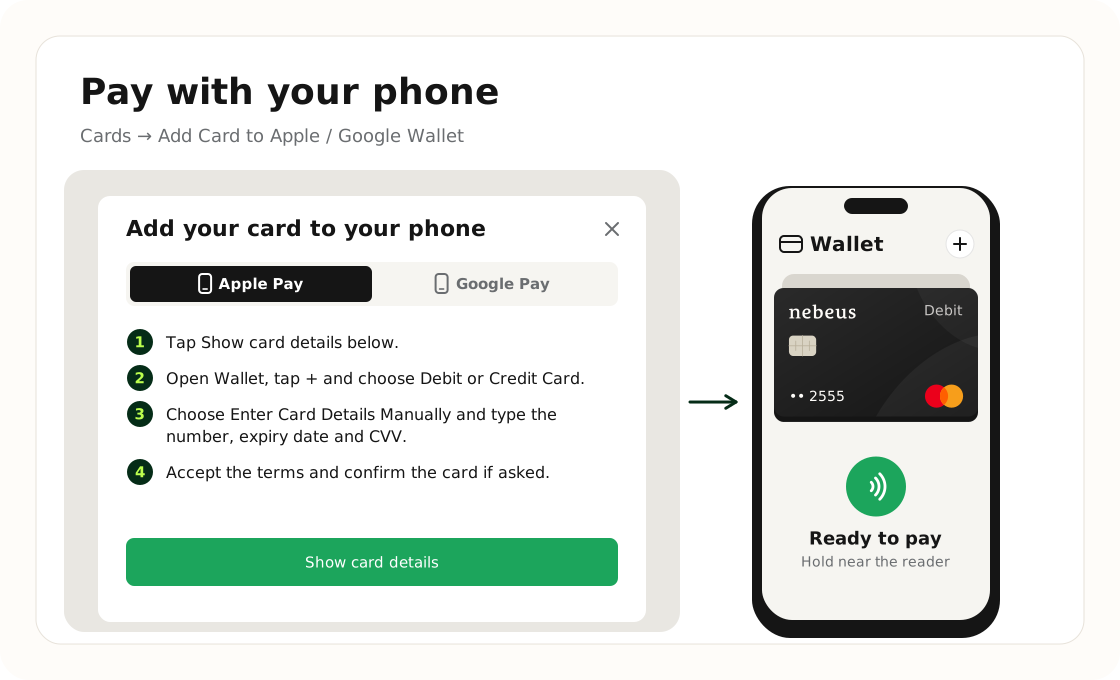
- In Cards, tap Add Card to Apple Wallet under the card (on a computer it reads Add Card to Apple / Google Wallet), then Show card details.
- Open Wallet, tap + and choose Debit or Credit Card.
- Choose Enter Card Details Manually and type the number, expiry date and CVV.
- Accept the terms and confirm the card if asked.
Google Pay (Android)
- In Cards, tap Add Card to Google Wallet under the card (on a computer it reads Add Card to Apple / Google Wallet), then Show card details.
- Open Google Wallet, tap Add to Wallet and choose Payment card.
- Choose New credit or debit card, then Enter details manually.
- Accept the terms and confirm the card if asked.
Good to know
Payments with your phone work exactly like card payments: they come from your current accounts and count towards your limits.
NEVER SHARE YOUR CARD DETAILS
Type them only into your phone's own wallet app. Nebeus never asks for them.
Was this article helpful?
Tell us. We use it to improve the docs.